Purchase and invoice approval for a manufacturer
A purchase request arrives. The system checks the budget line and the supplier record, drafts the purchase order, and routes it to the person whose limit covers it.
In short. Aiwah Labs in London, Ontario builds AI operating systems that run one workflow, such as purchase approval or dispatch, across the tools you already use, with named approvers and an audit trail. The first use case is live within a week, and we build on it. Typical setup is from about USD 3,500, with no monthly maintenance fee.
 Written by Abilshah M, Founder, Aiwah Labs. Last updated 15 November 2026.
AI operating system implementation overviewAll services in London, Ontario

An AI operating system carries one workflow, such as an order, an invoice, a site visit or a renewal, from the signal that started it to a next step a named person can defend. Software does the carrying. People keep the judgment.
It replaces neither your ERP nor your CRM, which stay the record. The operating layer connects the message, the document and the approval those systems keep apart. A company brain answers questions. An operating system moves the work. For the broader change to the workflow itself, see operations redesign.
A message, a document or a date starts the case.
Read, file and draft. The design lists what it may do alone.
ERP, CRM, drive and inbox stay the record.
A named person approves. Each run keeps what was read and changed.
Scenarios the setup is built around. Each one ends in a record or a person, not a dead end.
A purchase request arrives. The system checks the budget line and the supplier record, drafts the purchase order, and routes it to the person whose limit covers it.
A request becomes a job, a technician is assigned, and the job closes only when the proof and paperwork are on the record. Exceptions land with a named owner.
A client renewal approaches. The system gathers the history, drafts the message, and waits for a partner before it sends anything.
We integrate with the systems you already run: your ERP, CRM, accounting, email and the in-house tools nobody else supports.
SAP, Oracle, Odoo, Zoho, Tally, QuickBooks, Xero, Salesforce, HubSpot, or an older in-house system that has an API, a database or an export. If a system has none, the first release is a record beside it, with no forced migration.
Our code moves each step between your systems and holds the state the old system cannot. The AI drafts and checks. It does not approve.
Read, file, draft and update a status the design marks as safe. A payment, a price, a coverage decision or a clinical decision waits for a person.
Each run stores what it read, what it changed and who approved the rest. The people who own the workflow can open it.
Invoice 1042 arrived by email from a supplier.
Invoice 1042 matches purchase order 311, but the total is 8% above the last order. I have sent it to Priya for approval, with both documents attached.
Approved.
Status set to approved. Who approved it, and what the system read, saved in the audit trail.
First use case in 1 week. We build on top of it, one use case at a time.
One invoice path, one dispatch board or one renewal cycle. The people who run it are in the room, and we trace where the work stalls.
Everything else can be drafted or moved. That one decision stays human, and the screen shows the evidence behind it.
The message channel, the document and the system of record share one case, with no second copy that drifts.
A missing approval, a failed write and a changed bank detail all have to land with an owner. The happy path is the easy test.
The first use case takes real cases, with a person approving. It is live within a week.
The next workflow goes on top of the first, one at a time, with the same named approvers and audit trail.
Prices are in US dollars and exclude taxes. They are one-time setup, not a subscription.
No monthly maintenance fee. No vendor lock-in. The client owns the code and the data.
Talk to salesUsage, such as LLM tokens, is passed through at provider cost. We add no markup.
Bring one call, thread or workflow. We scope from there.
Book a callIntegrations
The layer sits between the tools that already hold the work. It reads, checks and moves each step, and writes the result back to the system of record.
Inner ring: where the record lives
 SAP
 Oracle
 Dynamics 365
 Odoo
 ERPNext
 Zoho
 QuickBooks
 Xero
 Sage
 Salesforce
 HubSpot
 Zendesk
Outer ring: where the work moves
 Gmail
 Outlook
 Excel
 Google Sheets
 Slack
 Microsoft Teams
 WhatsApp
 Stripe
 Razorpay
 PostgreSQL
 MySQL
 Airtable
 Power BI
 AWS
 Azure
If your system lets data in or out, we connect to it. If it does not, we find a workaround, and we tell you how dependable that route is before we build. We also connect Tally, Zoho Books, NetSuite, bank and tax portals, warehouse and dispatch software and the in-house system nobody else supports.
The clean route. Most modern tools have one, and many older ones do too.
No API? We read the database, or a scheduled CSV or SFTP export.
We pick up the reports, invoices and attachments your system already sends.
For a portal with no other way in, a bot works the screen the way your team does, with every step logged.
Also serves St. Thomas, Kitchener, Waterloo and Southwestern Ontario.
London’s manufacturers, agri-food firms and health suppliers run on approvals: a purchase over a limit, an invoice with a price that moved, a production change, a job closed without its paperwork. The City of London names five key sectors, agri-food, manufacturing, digital media and technology, health, and professional services. Its economic overview page was last modified in October 2020, so read the list as context and not as a count. An AI operating system takes one of those flows and runs it across your ERP, your inbox and your shared drive.
The approvals are the product. A purchase request arrives. The system checks the budget line and the supplier record, drafts the purchase order, and routes it to the person whose limit covers it. A payment, a price change or a changed bank detail waits for that person. The ERP stays the record, and every run logs what it read and who signed off.
Trades and field-service firms get a different version of the same layer. Our essay on field service automation in London, Ontario describes what a winter job needs on the record before it can be billed: the address, the technician’s qualification for the work, what was done, and the customer’s signature or recorded refusal.
For firms that sell to municipalities, hospitals or schools, Ontario’s Bill 194 applies to those public bodies, not to private businesses. It matters to vendors selling AI to them, and an audit trail gives you a record to show those buyers.
We scope the first workflow with the people who run it, in your office.
The City of London names five key sectors: agri-food, manufacturing, digital media and technology, health, and professional services. The page was last modified on 8 October 2020.
City of London, Economic Overview of London, OntarioOntario’s Bill 194 (S.O. 2024, c. 24) applies to public-sector entities, including FIPPA and MFIPPA institutions, children’s aid societies and school boards. It does not regulate private businesses, but it matters to vendors selling AI to municipalities, hospitals and schools.
Legislative Assembly of Ontario, Bill 194 (43rd Parliament, 1st Session)51 Murdock Street, London, Ontario N6H 2J9, Canada
These are published patterns. They are not a claim that the client is in a particular city.
Case study, Manufacturing companyA manufacturing company connected demand, production exceptions, quality evidence, and purchasing around the work orderA production schedule and its exceptions held where a planner can still decide. Published work on the pattern, with no claim about where the client sits.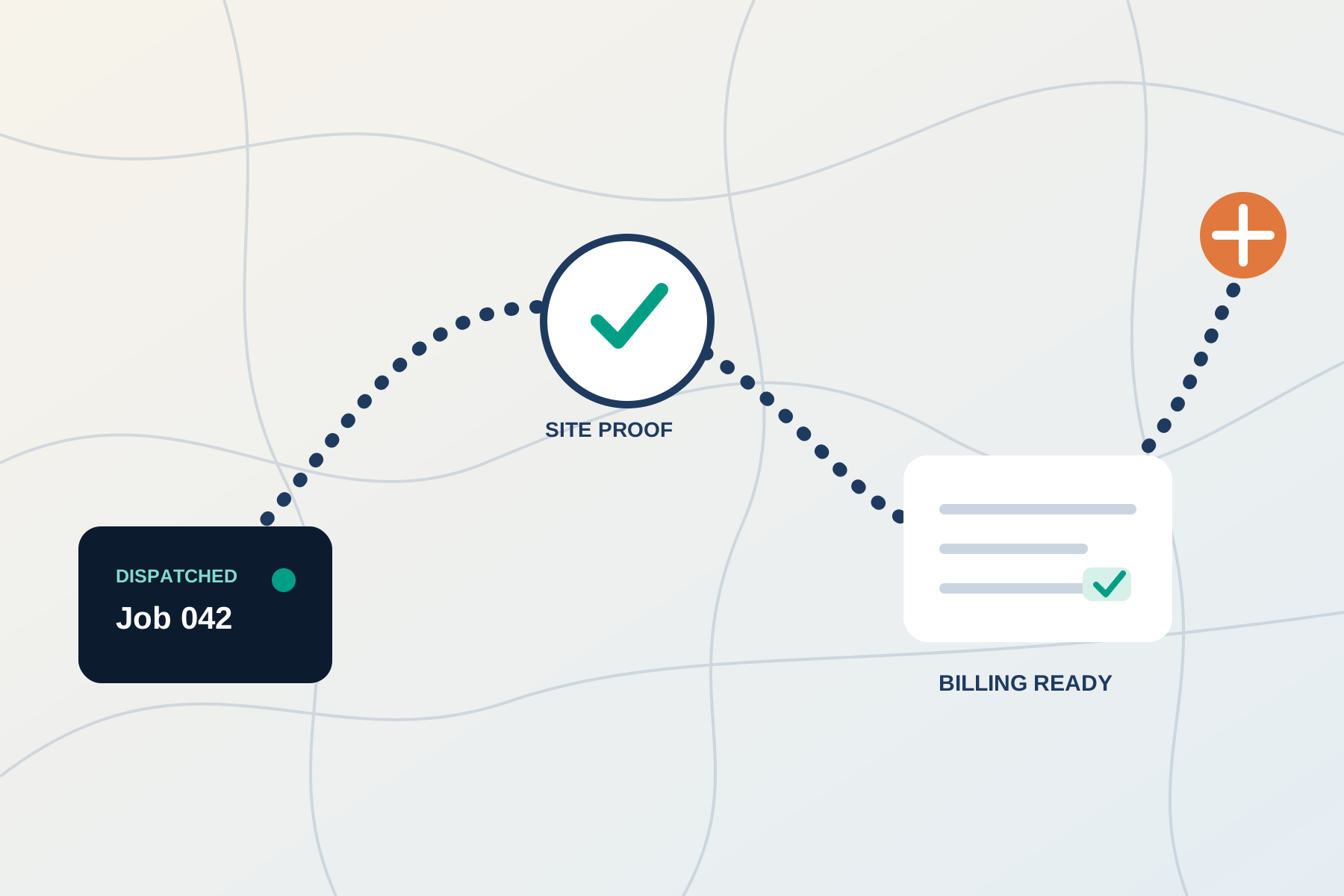 Case study, Field-service companyA field-service company connected dispatch, mobile proof, customer updates, and billing readinessA request becoming a dispatched job with the record kept for billing.
 EssayField service automation, London, OntarioWhat a winter job record needs when intake, dispatch, the technician and billing each hold a different version.
 EssayBad processes do not improve when you automate themWhy the handoff should be redesigned before it is automated.
No. Your ERP or accounting system stays the record. The operating layer connects the email, the document and the approval around it, and writes the status back.
The one where work stalls waiting for someone: a purchase approval, an invoice with a changed price, or a job that cannot be billed without its paperwork. We pick one in the audit and leave the rest until it runs on live cases.
Only if you are a public-sector entity. Bill 194 applies to FIPPA and MFIPPA institutions, children’s aid societies and school boards, not to private businesses. It matters if you sell AI-enabled services to those bodies, and the audit trail records what each run read and who approved it.
Setup is typically from about USD 3,500, one-time, with no monthly maintenance fee. Model usage is billed at provider cost, with no markup from us.
The first use case is live within a week, and we build on top of it, one use case at a time. We do not quote a total timeline.

Tell us the call, the thread or the record. Every setup on this page starts with a call.
Book a call